DishUp
✦ Messy photos → menu-ready content

Turn messy food photos into
a full marketing pack

Upload one quick phone photo and DishUp transforms it into clean menu images, delivery formats, and ready-to-post social content.

Start free — no card needed → See the transformation ↓
No photoshoots No designers No editing

From one messy phone snap to everything you need to sell.
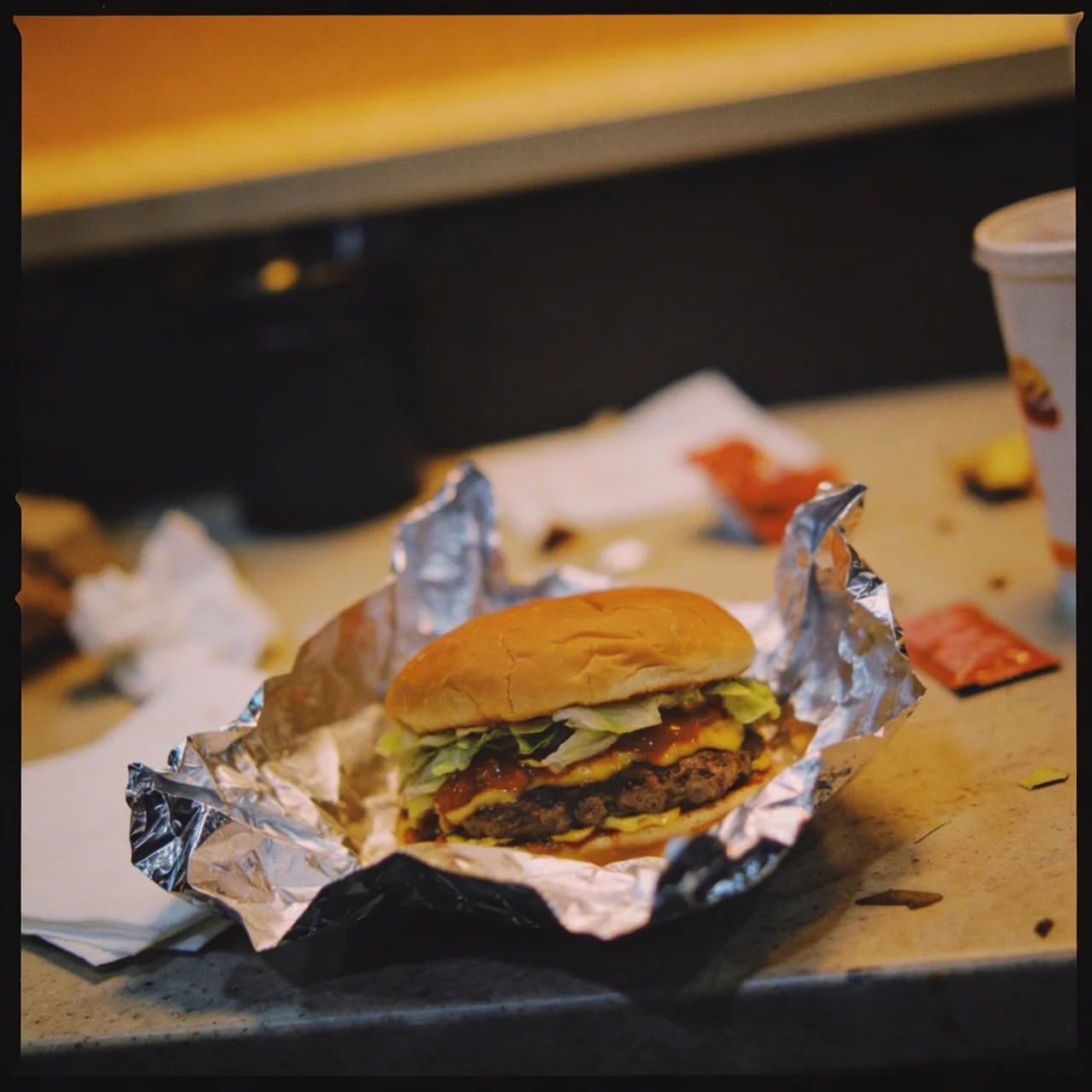
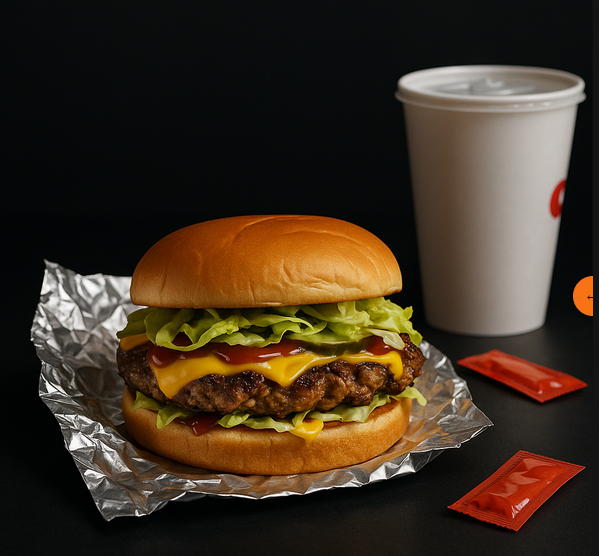
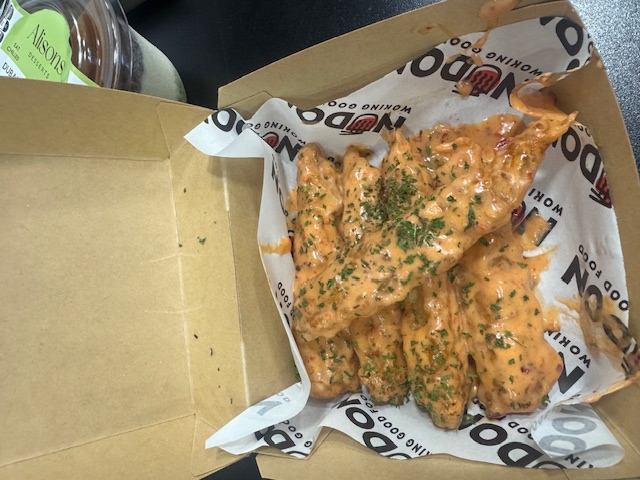
Original food photo before DishUp Messy phone photo
DishUp
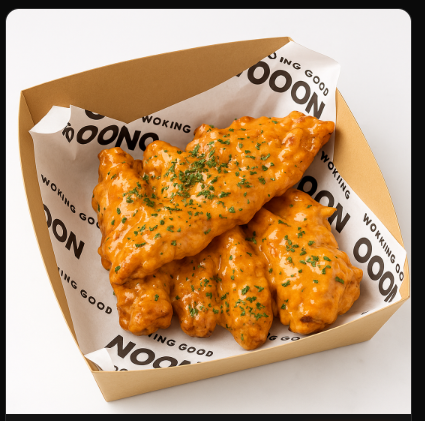
DishUp enhanced food photo Menu-ready image ✦
One photo → full marketing pack
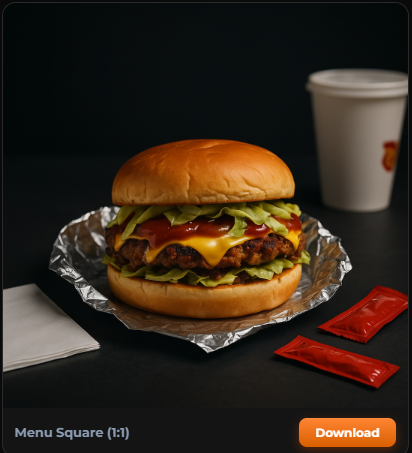
Menu square output
Menu Square · 1:1
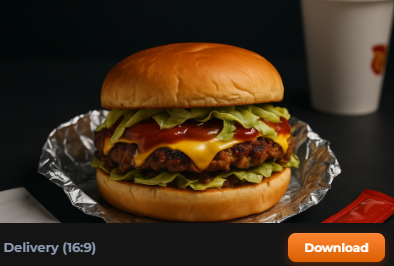
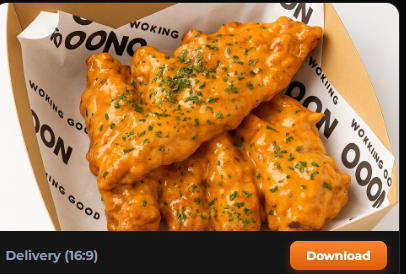
Delivery banner output
Delivery Banner · 16:9
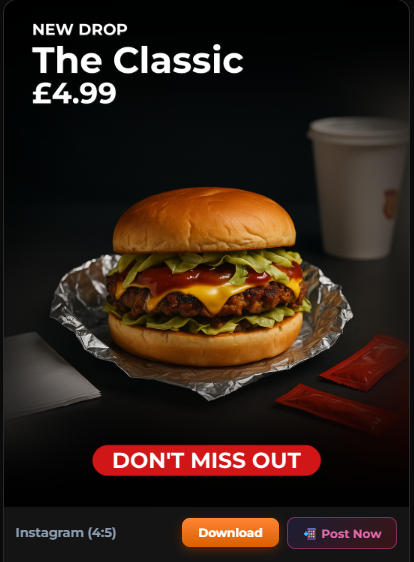
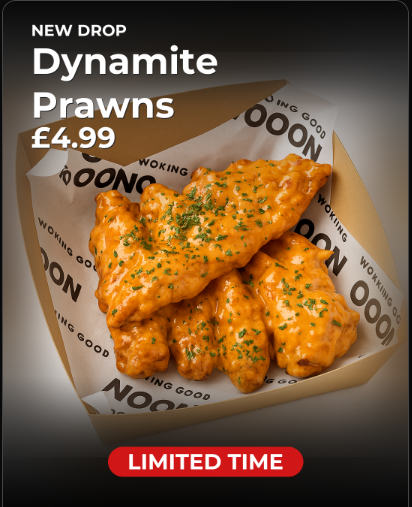
Instagram post output
Instagram Post · 4:5
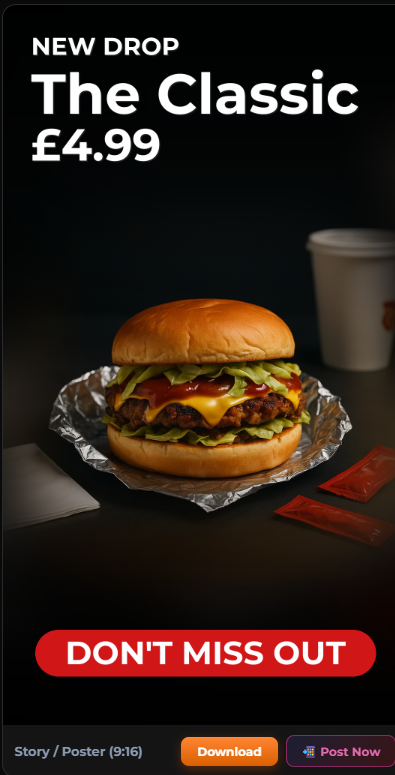
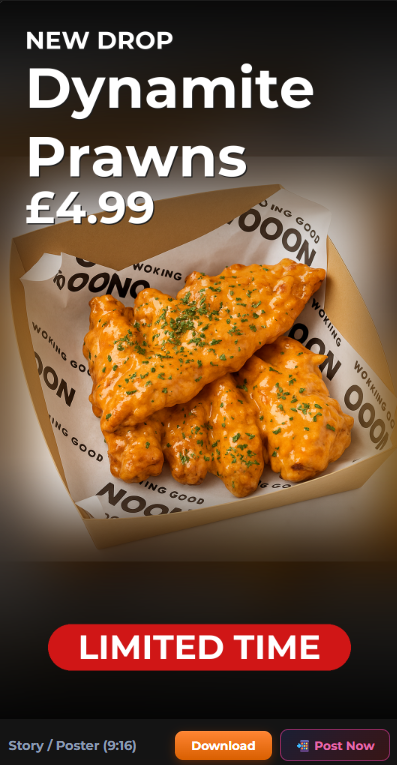
Story/poster output
Story / Poster · 9:16

No resizing. No redesigning. No starting again.
1 photo
Generates a complete menu, delivery & social marketing pack
4 formats
Menu, delivery banner, Instagram post & Story — all at once
~2 min
From phone photo to ready-to-post marketing content
No design
No skills, no software, no designer needed
Full marketing pack from one photo

Everything you need to sell —
from one photo

Automatically generate menu images, delivery banners, Instagram posts, and Stories from a single phone photo. No resizing. No redesigning. No starting again.
Your food photo
Your food photo

One upload — phone or desktop

DishUp
Menu Image
Menu Square
1:1 · menu-ready
Delivery Banner
Delivery Banner
16:9 · delivery-ready
Instagram Post
Instagram Post
4:5 · ready-to-post
Story / Poster
Story / Poster
9:16 · ready-to-post
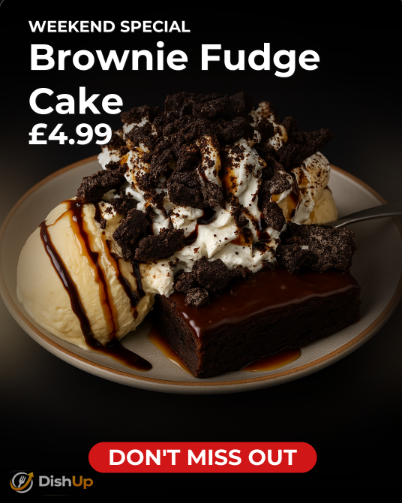
Promotion with price & CTA
Promo Content
Price, headline & CTA
Menu-ready Uber Eats Deliveroo Just Eat Instagram-ready Promo-ready Website & Flyers
No resizing for every platform Consistent across every channel What used to take 30 minutes — done in under 2
Ready to try it?

Create your first marketing pack free

Upload one food photo and get menu images, delivery banners, and social content ready to post. No card needed.

Start free — no card needed →
The transformation

From phone photo to menu-ready image

Clean, sharpen, stage, and format your food photos without a designer.

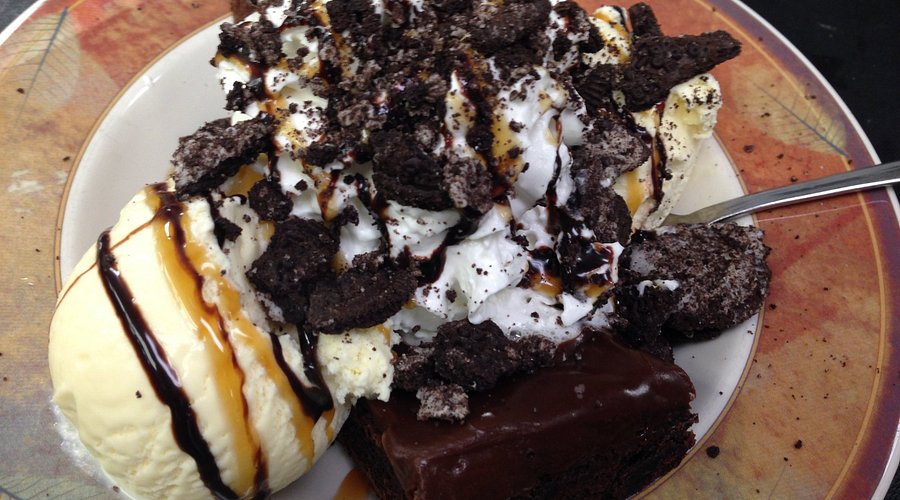
Before — Brownie Fudge Cake phone photo
Before
After — DishUp marketing-ready image
After

Same brownie. Same brand. Shot on a phone — menu-ready and delivery-ready in under 2 minutes.

Takeaways Restaurants Cafés Dessert brands Caterers Meal-prep businesses
★★★★★

"We used to waste time trying to make phone photos look good enough to post. Now we upload, tweak it, and it's ready. Much less back and forth."

Sarah M. Street food trader, London
★★★★★

"It makes our products look more consistent across Instagram, our menu board, and the website. We just pick a style and it handles the rest."

James K. Independent bakery owner
★★★★★

"For launches and weekly offers, it saves us from waiting on a designer. We put together promo content ourselves now, and it actually looks good."

Priya T. Family-run takeaway
A better way

Stop doing it manually

Most food businesses spend hours every week on photos they're not happy with. Here's what that looks like — and what it looks like with DishUp.

The old way
Take a photo — hope the lighting is decent
Open a photo editor to remove the background
Crop and resize for Instagram, then again for delivery apps
Open Canva to design a promo graphic
Redo it when it looks off-brand
Finally post — 45 minutes later
With DishUp
Upload your food photo
Choose a style and add your dish name, price, or CTA
DishUp generates your full marketing pack
Download menu, delivery, Instagram & Story formats — all at once
Upload once → everything done

Menu-ready, delivery-ready, and social-ready — all from one photo, in under 2 minutes.

Try it free — no card needed →
Ready-to-post promotions

Add headlines, prices, and calls-to-action — automatically

DishUp doesn't just clean your food photo. It generates promotion-ready content with your dish name, price, offer text, and CTA badge applied automatically.

01 — Menu & delivery content

Menu-ready and delivery-ready images

Clean, professional food photos formatted for your menu board, Uber Eats, Deliveroo, and Just Eat. No resizing, no cropping, no starting again.

02 — Social & promo content

Ready-to-post social content

Instagram posts and Stories with your dish name, price, and CTA automatically applied. Launch a weekend special or limited offer in minutes.

03 — Brand consistency

Consistent across every channel

Every image uses the same style and quality. Your brand looks intentional and professional everywhere customers see you — without a designer.

Better-looking menus

Replace blurry phone photos with clean, appetising menu images that make your food look as good as it tastes.

Stronger delivery listings

Stand out on Uber Eats, Deliveroo, and Just Eat with delivery-ready images that drive more orders.

Faster promo content

Create weekly specials, limited offers, and seasonal deals with ready-to-post images in under 2 minutes.

No design skills needed

No Canva, no Photoshop, no freelancer. Upload your photo and get professional content that helps your food sell.

Works on any phone photo

You don't need great lighting or a fancy camera. DishUp works with everyday shots and makes them marketing-ready.

Brand kit for Pro users

Apply your logo, colours, and fonts automatically. Every image looks on-brand, every time. (Pro plan)

Why it matters

Bad food photos cost you orders every day

On delivery apps and social media, the photo comes first. Poor images push customers straight past your listing — before they even see your prices or reviews.

Weak photos lose clicks before a word is read

Customers scroll fast. A dark, cluttered, or blurry photo gets skipped instantly. Content that helps your food sell starts with an image that stops the scroll.

Photoshoots and designers are slow and expensive

A food photography shoot can cost £100–£500+. A designer takes days and costs more. DishUp gives you professional-looking, ready-to-use content from £9/month — whenever you need it.

Inconsistent images undermine your brand

Photos that look different every week chip away at trust. DishUp keeps your visuals consistent, on-brand, and delivery-ready across every channel.

Why not just use Canva or hire a designer?

The honest comparison

There are other options. Here is why food sellers use DishUp for their weekly content.

Canva

Still manual. Still time-consuming.

  • You still have to remove backgrounds yourself
  • Every image needs manual layout and tweaking
  • Depends on your own design sense
  • Not built for food — outputs look generic
  • No automatic format sizing for each platform
Hiring a designer

Slower, more expensive, hard to scale.

  • Briefing and revisions take days
  • One photoshoot costs £100–£500+
  • Not practical for day-to-day or weekly content
  • Every change means another back-and-forth
  • Unavailable for urgent or last-minute posts
DishUp

Fast, repeatable, built for food.

  • Upload a photo — full marketing pack in under 2 minutes
  • No design skills or software needed
  • Menu-ready, delivery-ready, social-ready — all at once
  • Consistent quality every time, no back-and-forth
  • Works whenever you need it, no waiting
🍴
Built for food sellers. Not for everyone.

DishUp was made for food businesses that need better content fast — not for generic creators or expensive studios. Whether you run a takeaway, a café, a market stall, or an online food brand, it gives you menu-ready, delivery-ready, and social-ready images whenever you need them. No designer. No photoshoot. No waiting.

Pricing

Start free. Upgrade when you're ready.

No commitment needed. Try DishUp free — upgrade when you want more exports, branding, and no watermark.

One professional photoshoot costs £100–£500+. DishUp gives you ready-to-use food content that helps your food sell — from £9/month.
Free
£0 /forever

Try the full output quality — no card needed. See what your food looks like before committing to anything.


  • 3 photo marketing packs to try the platform
  • All 4 export formats (menu, delivery, Instagram, Story)
  • 4 visual styles
  • Promotion templates (price, CTA, offers)
  • Watermarked output
  • Brand kit
Start free — no card needed
Pro
£25/month

For brands that want fully on-brand output — your logo, colours, and fonts on every image, with stronger enhancement.


  • 100 photo marketing packs per month
  • All 4 export formats
  • 4 visual styles
  • No watermark
  • Promotion templates
  • Brand kit (logo, colours, fonts)
  • AI Boost enhancement
  • Priority support
Get Pro — £25/mo

Start free. Upgrade when you're ready.
Cancel anytime. No contracts. No setup fees.

Or pay as you go — no subscription needed
5 photo packs
£3

No watermark. Use whenever you like — credits never expire.

Buy 5 credits — £3
Best value
10 photo packs
£5

No watermark. Half the price per photo. Credits never expire.

Buy 10 credits — £5

Pay-as-you-go includes all standard features — no watermark, all 4 formats. Credits never expire.

Common questions

Everything you need to know

What kinds of food businesses is DishUp designed for?

DishUp is built for anyone who sells food and needs better product images. That includes takeaways, restaurants, cafés, bakeries, dessert brands, meal-prep companies, home food businesses, street food traders, market sellers, caterers, and packaged food brands. If you sell food and take photos of it, DishUp is for you.

Will it change how my actual food looks?

No. DishUp is specifically built to preserve your food exactly as it is — the shape, toppings, sauces, plating, and packaging all stay the same. Only the background, lighting, and overall polish change.

How good does my original photo need to be?

It does not need to be perfect. DishUp works with everyday phone photos taken in normal light. The better the original, the better the result — but it's designed to handle imperfect starting points.

What image formats can I upload?

JPG, PNG, and WebP are all supported, up to 10MB. You can upload directly from your phone or computer.

What export formats do I get?

Every marketing pack includes four ready-to-use formats: Menu Square (1:1), Delivery Banner (16:9), Instagram Post (4:5), and Story / Poster (9:16). All four are available in one ZIP download.

What is the difference between Natural and Boost enhancement?

Natural makes clean, realistic improvements — better backgrounds, improved lighting, sharper detail. Boost (Pro only) pushes further: richer colours, stronger contrast, and sharper texture for images that really stand out on social media and delivery apps.

What is the Brand Kit?

The Brand Kit (Pro only) lets you upload your logo, choose your brand colour, and select fonts. DishUp then applies these to every marketing image automatically — keeping every export consistent and on-brand.

Can I cancel my subscription anytime?

Yes, always. Cancel from your billing page at any time. Your plan stays active until the end of the billing period, then reverts to the free tier with no further charges.

No photoshoots. No designers. No editing.

Your next menu image is one upload away.

Upload a phone photo and get a full marketing pack — menu-ready, delivery-ready, and social-ready — in under 2 minutes. Free to start, no card required.

Try DishUp free →